
Local-first is especially interesting because it pulls distributed systems closer to the user: some complexity moves from the server into the client, offline UX, synchronization, and merge rules.
In real engineering work, this film shows that a resilient offline experience needs more than a polished interface. It needs mature synchronization, conflict handling, device-side storage, and clear user control over data.
In interviews and architecture discussions, it is especially useful when you need to show how local storage shifts system boundaries: the server is no longer the only source of truth, and observability and correctness move deeper into the client side.
Practical value of this chapter
Design in practice
Helps design offline UX where synchronization and conflict handling are core capabilities.
Decision quality
Provides guidance for synchronization protocols, CRDT/OT approaches, and client-side data ownership.
Interview articulation
Supports clear local-first trade-off discussion: autonomy, consistency delay, and data privacy.
Risk and trade-offs
Highlights merge conflicts, on-device storage growth, and observability complexity.
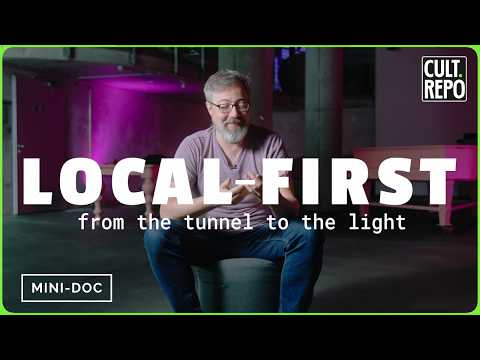
Local-First Software: Taking Back Control of Data
A short documentary on why an app should not stop working the moment the network drops or the vendor shuts the service down. Local storage, offline operation, and user control are not retro — they are an answer to a concrete risk.
Source
Local-First Software
Mini-documentary about the local-first approach and data control.
About the film
Almost every application keeps data in the cloud by default: lose the network and you lose access to your own work. Local-first inverts the dependency. The primary copy lives on the device, the app reads and writes locally, and the cloud acts as an additional copy for synchronization rather than the only source of truth.
The video walks through where cloud dependence breaks in everyday life — the subway, a flight, a downed service, a discontinued product — and shows what you gain when the data stays with the user: predictable UI latency, work that survives a missing network, and trust that your work will not disappear with the subscription.
Key ideas and insights
User's master copy
Reads and writes go local. The interface does not wait on a server, and core flows do not depend on whether there is a network right now.
Cloud helps, but does not own the data
The server becomes a sync, backup, and collaboration copy — not the only place where the data lives.
Cloud dependence breaks in everyday life
Lose the network or lose the service, and the user loses access to their own work. A local copy takes that risk off the critical path.
Collaboration needs a protocol
The price of offline autonomy is merging edits. CRDTs, P2P replication, and conflict-handling rules require serious engineering.
Local-first timeline
Local files and personal autonomy
Users control the primary copy of their data, but collaboration and cross-device synchronization remain manual and fragile.
Cloud-first becomes the default
SaaS and mobile apps make synchronization convenient — but in exchange the primary data copy moves to the provider's server, and access to it now depends on the provider's network and business.
Local-first becomes a research frame
The community names the principles: local work, data ownership, synchronization, durability, and collaboration without complete cloud dependence.
Sync becomes a product platform
Local databases, change logs, CRDTs, end-to-end encryption, and sync services turn local-first into a practical architecture choice.
Local-first application map
UI + domain model
The application reads and writes locally without a network.
Local database
SQLite/IndexedDB with change history.
Change log
Versions, diffs and operations for synchronization.
Sync engine
Send, merge, retry, and observe changes.
Cloud copy
Cross-device, backup, collaboration.
Sync-loop
The network drops and comes back, so replication, retries, and observability are what keep synchronization resilient.
Conflicts
Safety
E2E encryption for synchronization, local backups, and data export control.
What does this mean for design?
- Offline work is designed in as a baseline requirement, not as a degraded mode: local data plus a synchronization queue from day one.
- Under the interface sit a local database and a replication layer: change log, versions, metrics, and retries.
- A conflict is not a bug, but a product scenario: LWW, CRDT, or explicit conflict UI.
- Export, schema migrations, backups, and E2E encryption are what control and durability rest on.
- Complexity moves to the client: without offline and synchronization tests, the first failure turns into lost edits.
Conclusion
Local-first costs more to build — merging, conflicts, and offline tests move to the client. But that is the price for a concrete result: the product survives a network drop and a vendor walking away, and the user does not lose access to their work. You do not have to adopt all of it at once — even local storage and secure synchronization on part of the flows already remove the most expensive risk.
Related chapters
- Google Docs / collaborative editor - Practical collaboration architecture case: offline edits, synchronization mechanics, and conflict handling.
- Interplanetary distributed computing system - Extreme high-latency and partition scenario where local autonomy is required for continuity.
- Dyad architecture: local AI app builder - Modern local-first product case with checkpoint workflow and context control outside the cloud.
- Git turns 20: a mini documentary - Git as an early local-first model: complete local history and productive offline workflows.
- CAP theorem - When a device goes offline, synchronization lands squarely on the CAP trade-off: choose availability or consistency under a network partition.
- PACELC theorem - PACELC extends CAP with the latency question: even with a healthy network, synchronization trades response time against consistency.
- Designing Distributed Systems (short summary) - Distributed systems patterns for replication, resilience, and evolutionary growth of local-first products.
- Svelte Origins: Rich Harris on framework origins - Frontend state and performance context that matters when complexity shifts to local-first clients.